


WEB LINKS:
COURSES:
MAT 082
MAT 092
MAT 120
MAT 122
MAT 142
MAT 150
MAT 156
MAT 212
MAT 282
TUTORIALS:


|
MAT 120 (Hybrid) Online Calendar
|
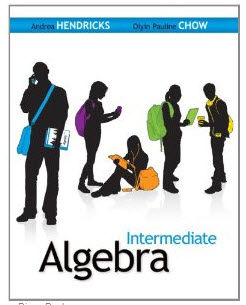
MESA COMMUNITY COLLEGE
Intermediate Algebra HYBRID- Spring 2014
Instructor: Sue Glascoe |
Course Title: Intermediate Algebra |
|
Office: MC 162 |
Course : MAT 120 (Hybrid) |
|
Phone: 480.788.1433 (google voice
) 480.461.7769 (office) |
Section#: 32404 (9am) #32408 (10am) |
|
:Office Hours: 11am-11:50am M-,F |
||
email: sue.glascoe@mesacc.edu |
||
MAT 120 is a Hybrid class. You will be responsible for some learning and activities outside of class to replace face-to-face classroom time.
*MAT 120 students will be required to do some homework and quizzes on a computer with internet access using Connect Math (NOT MyMathLab). you MUST purchase a liscense the first day of class to remain in my class. You do NOT have to purchase the hardbound textbook, as there is an ebook in the online Connect Math course.
Make sure you use the correct code for your class time!!
MAT 120 Spring 2014 9am - 9:50am
Course ID:
MAT 120 Spring 2014 10am - 10:50am
Course ID:
**The course syllabus is subject to change. Changes will be announced in class.
You will need to make sure you have the Flash Player installed on your computer to use my site
Flash is working correctly on your computer if you are able see the blooming flower
below that I created using Animation-Ish by FableVision
If you cannot see the flower above, then please download the
appropriate version of the Flash Player
Flash Player for Chrome or Firefox and all other versions (Windows or Mac)
Flash Playerfor Windows Internet Explorer
All tutorials on this website were designed and created by Sue Glascoe

Please download a free copy of Jing for Mac or Windows:
http://www.techsmith.com/download/jing/
You will use this free program to create screen shots and video recordings
to send to me of your questions!
For information on using Jing go to: http://www.techsmith.com/jing/
You will need to download and use Chrome and/or Firefox as your web browser (it is always best to have more than one browser, in case you cannot see something on a page - then try another browser)
(click on the graphics to go to the webpage to download) There seems
to be a problem viewing the Livescribe pencasts using Internet Explorer.


"One should guard against preaching to young people success in the customary form as the main aim in life. The most important motive for work in school and in life is pleasure in work, pleasure in its result, and the knowledge of the value of the result to the community." ~ Albert Einstein